
1. Create another version 2. Copy a package into another one
1. Create another version
You can create another version of the same package, either because you need to add more products/services to the new version or because the price of the package has changed.
1. Open the window *Package and version*.
2. Use the filter of the search dashboard to help you find the package you're willing to create a new version of, and select it.
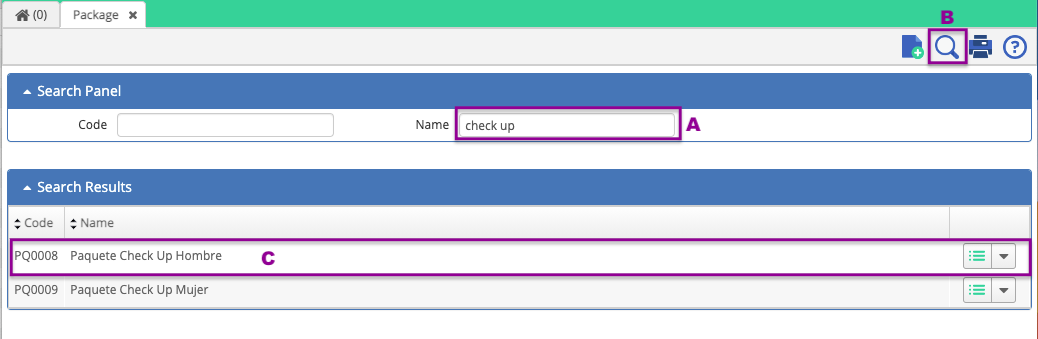
Select the package to add the version.
1. The system will send you to the header of the package (if there are more versions then they will be displayed in the details section), click on *ADD* to create the new version.
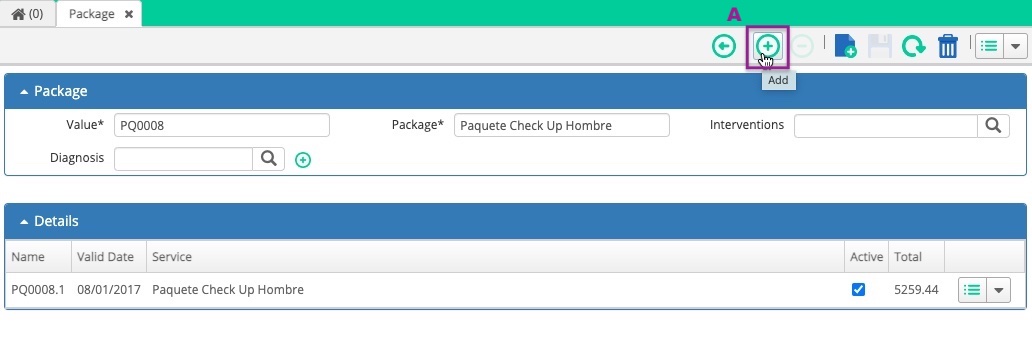
Adding a version to the package.
1. The system will open the *Version* window where you will select the service (already created in the Charge Master II), set the version, expiration date and click on *Save*.
2. After saving the vew version, the system will display the alert message: "A line of detail is required for the version of the package. Do you want to continue?"; click on *Yes* to add the detail.
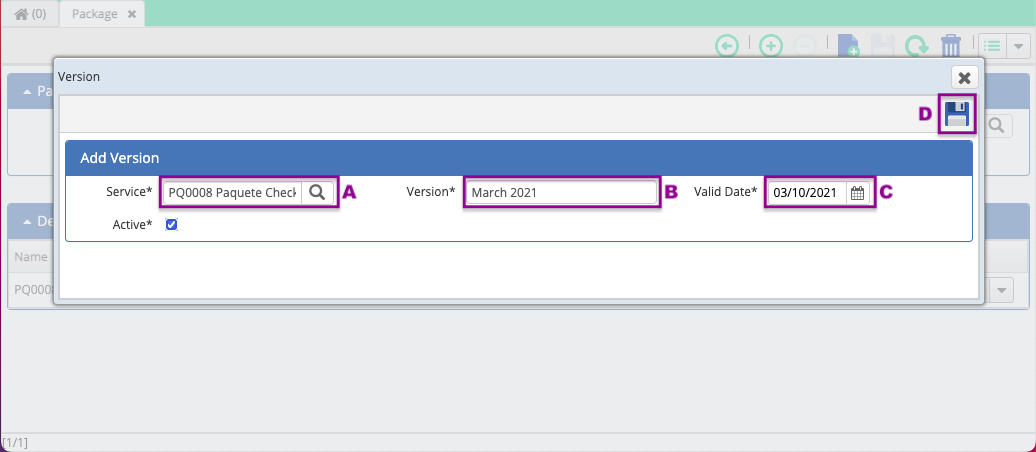
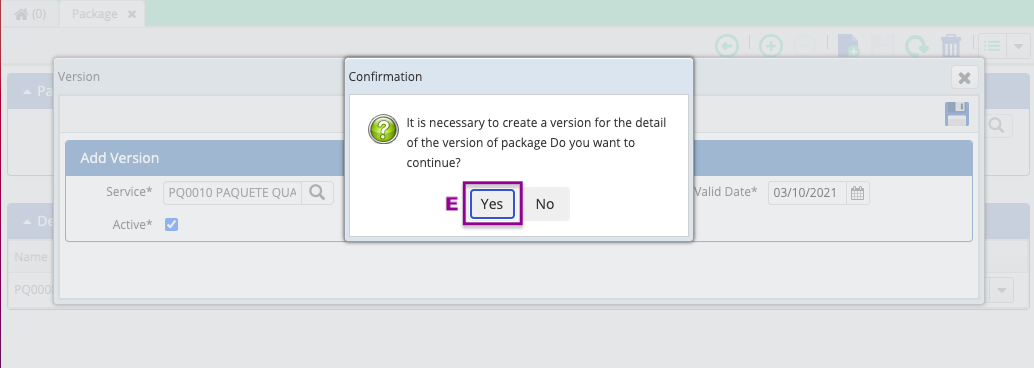
Creating the version of the package.
1. The system will open the window where you will be able to enter the details of the package, and also in this window you will add the products/services that will be included in the package. You can edit or remove the products/services selected (once the package has been assigned to a patient you won't be able to edit or remove items).
Here you will see the package base price (sum of prices of the items included in the package) and also the price of the package (the price set in the Charge Master II).
2. Save the information.

Detail of the package.
1. You will be able to visualize the new version of the package.
You can also see the detail of the package in the line of the created version.

New version created.
*After finishing the steps above*
You'll have created a new version of a package.
Congratulations!
2. Copy a package into another one
You must have the package already created in the Charge Master II.
1. Open the window *Packages* and follow the steps from the next video.

After finishing the steps above
You'll have copied a package from another one.
Congratulations!
Comments
0 comments
Article is closed for comments.