
1. Cirrus General Environment 2. Patient Information 3. Home Medication, Allergies and Lifestyle 4. Medical Schedule
1. Cirrus General Environment
We made an improvement to optimize your Cirrus experience.
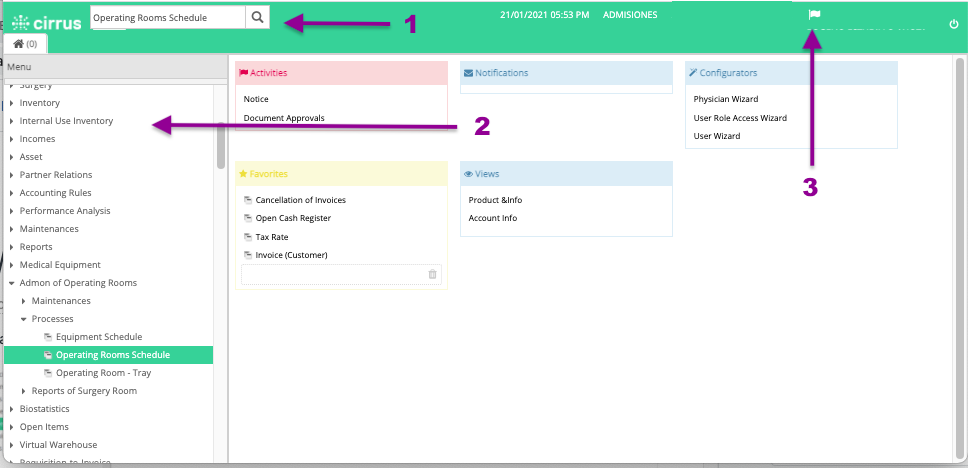
1. The field Find options in Cirrus is now located next to the Cirrus logo and it is always visible.
2. Your Options Menu is now fixed, in the first tab (house icon).
3. We added a flag that shows the number of processes in execution, for instance:
- When you add a package to an encounter.
- When you schedule an appointment and the patient and doctor get notified.
- When an administrative document has been posted.
2. Patient Information in clinical modules
We made an improvement in the standard header of the patient general information that appears in all clinical modules:
- You'll be able to see the insurance policy number and name.
- In case the policy is about to expire, a warning icon will be shown.
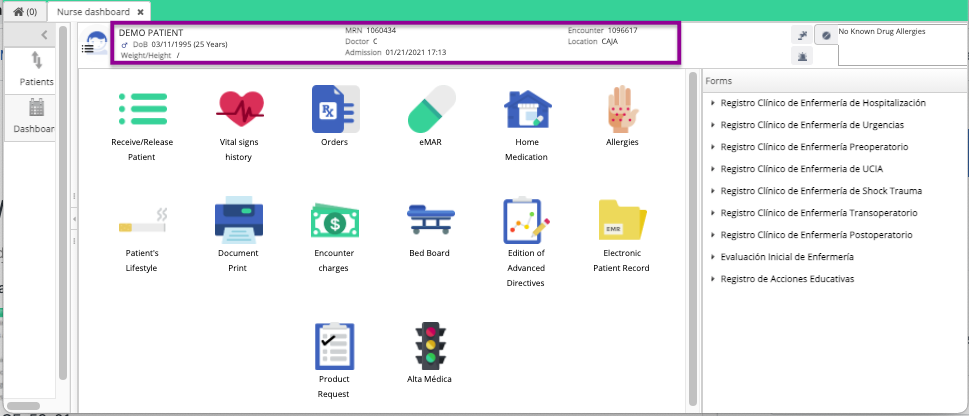
In Discharge/Discharge Prescription y Discharge Medications Medicamentos de Alta we include the section to add General instructions, you can see how it looks in the next gif.

3. Home Medication, Allergies and Lifestyle
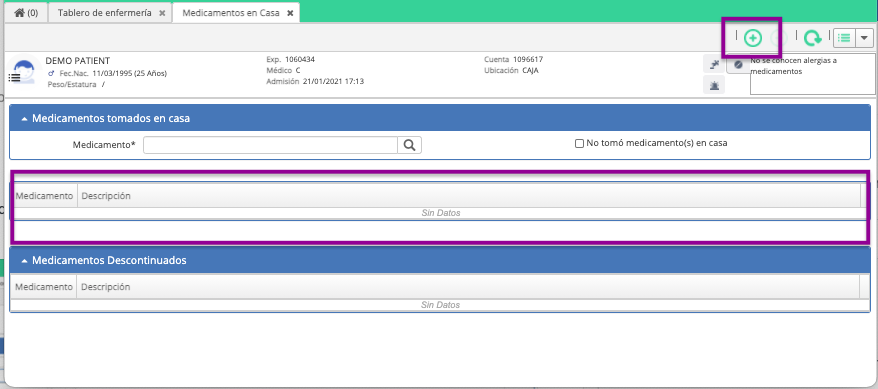
We added a button to add a record and the window to fill in the required information.
4. Medical Schedule
We added new fields to the section Next Appointment so now you can schedule recurring appointments for your patients. See how it looks so you can start using it, you'll love it!

Comments
0 comments
Article is closed for comments.