
25/05/2020 New fields in the operating room schedule to obtain more statistical information on the procedures performed in the hospital
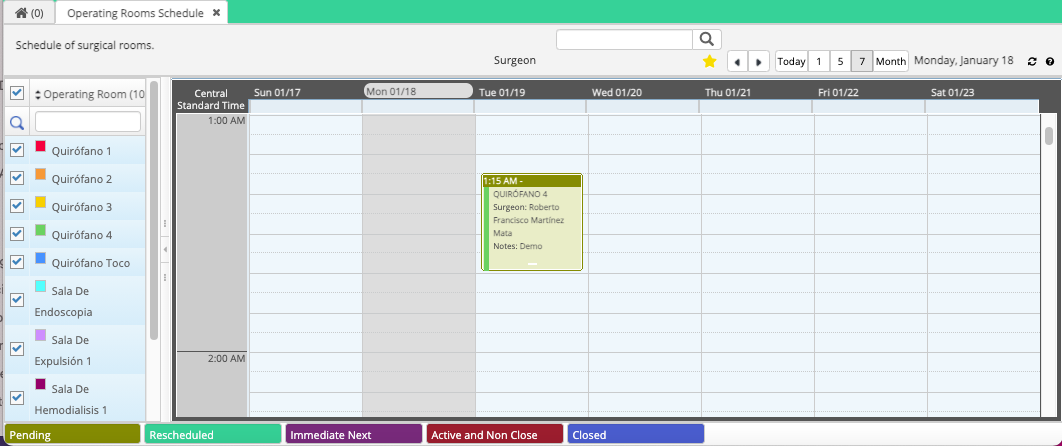
General view of the Operating Room Schedule
Now in the overview by month, the notes of the procedures / surgeries already scheduled are visible for your convenience.
Reasons for cancellation
When canceling a procedure / surgery, a new field was added with different reasons for cancellation from which you can select and add comments (required) to give more clarity to a cancellation.
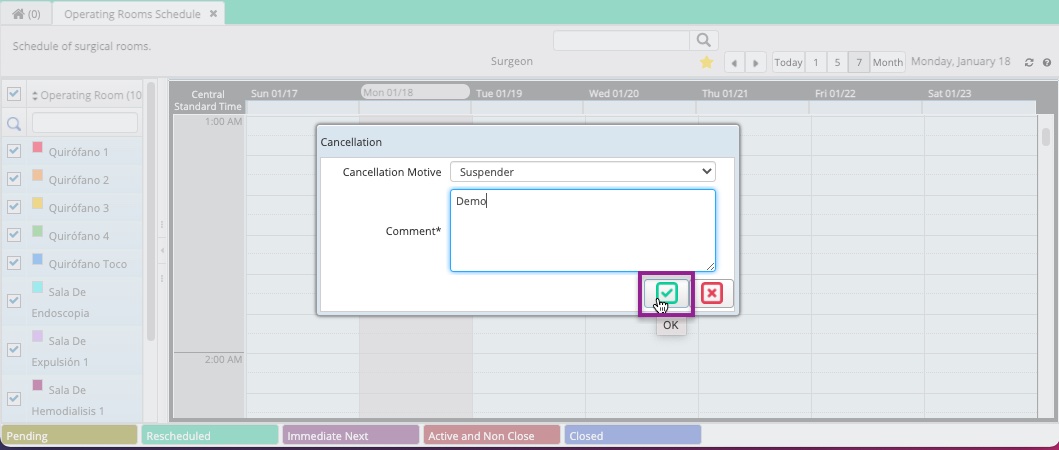
Note: By default there is only the reason "suspend", if you need to add more there is a functionality for it, contact your IT Admin or the Support team.
Changes in the edition of Procedures / Surgeries
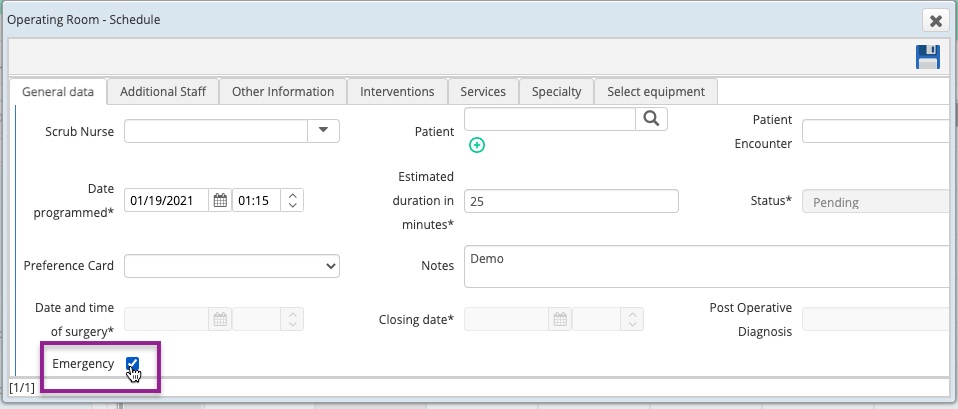
When creating / editing a schedule / surgery, you will see new fields that have been added to add more information if necessary. For example: indicate if it is an emergency.
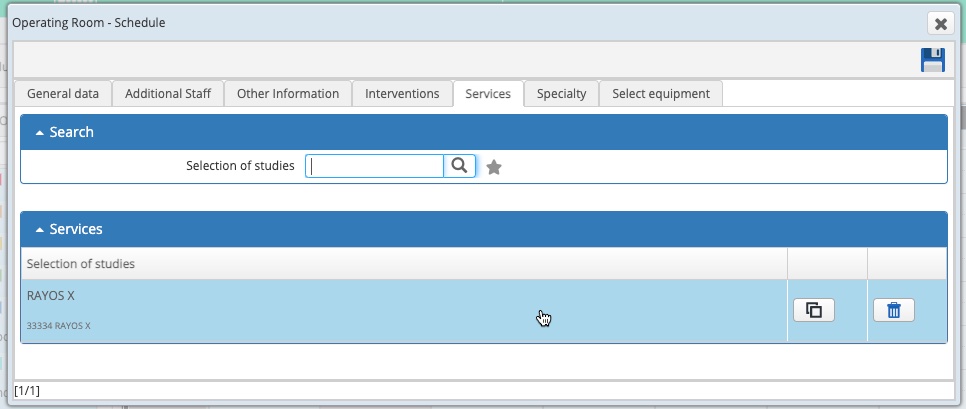
A new tab was also added to add Services, which are the support services for the procedure / surgery. When adding a service you can also add comments by clicking the button:
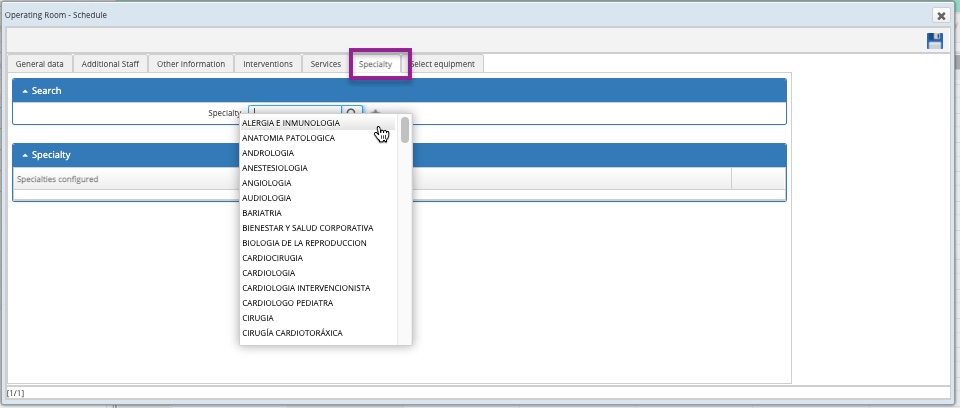
Finally, the Specialities tab was added to specify more information. (Only specialities from categories related to operating rooms and surgeries are available)
New status "Reprogrammed"
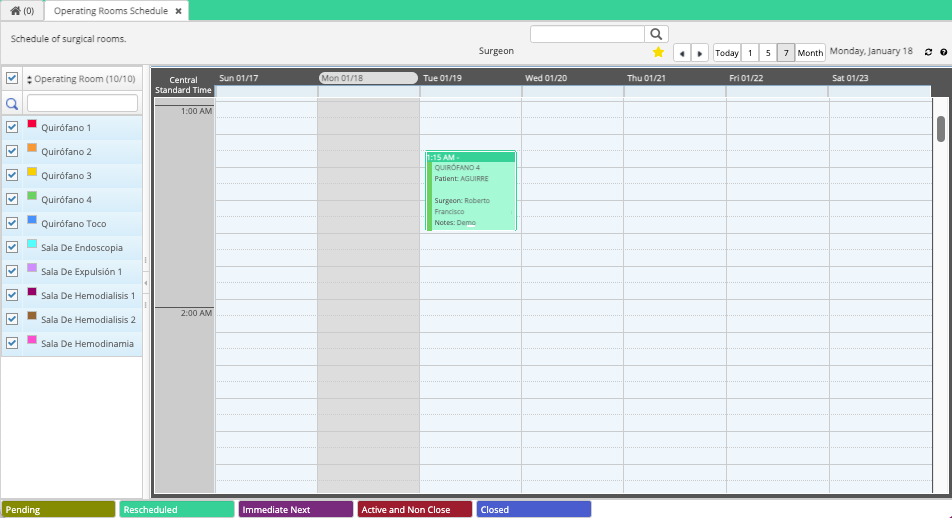
A new status has been added to indicate that a procedure / surgery has been Rescheduled, it is also automatically activated when a date and time change is made.

When rescheduling a procedure / surgery, you will identify it in the schedule with the following color:
We hope this improves your experience with Cirrus. Remember to share this information and ask for help if you need.
Date: May 25, 2020
Comments
0 comments
Article is closed for comments.