
1. Export/Print information
1. Export/Print information
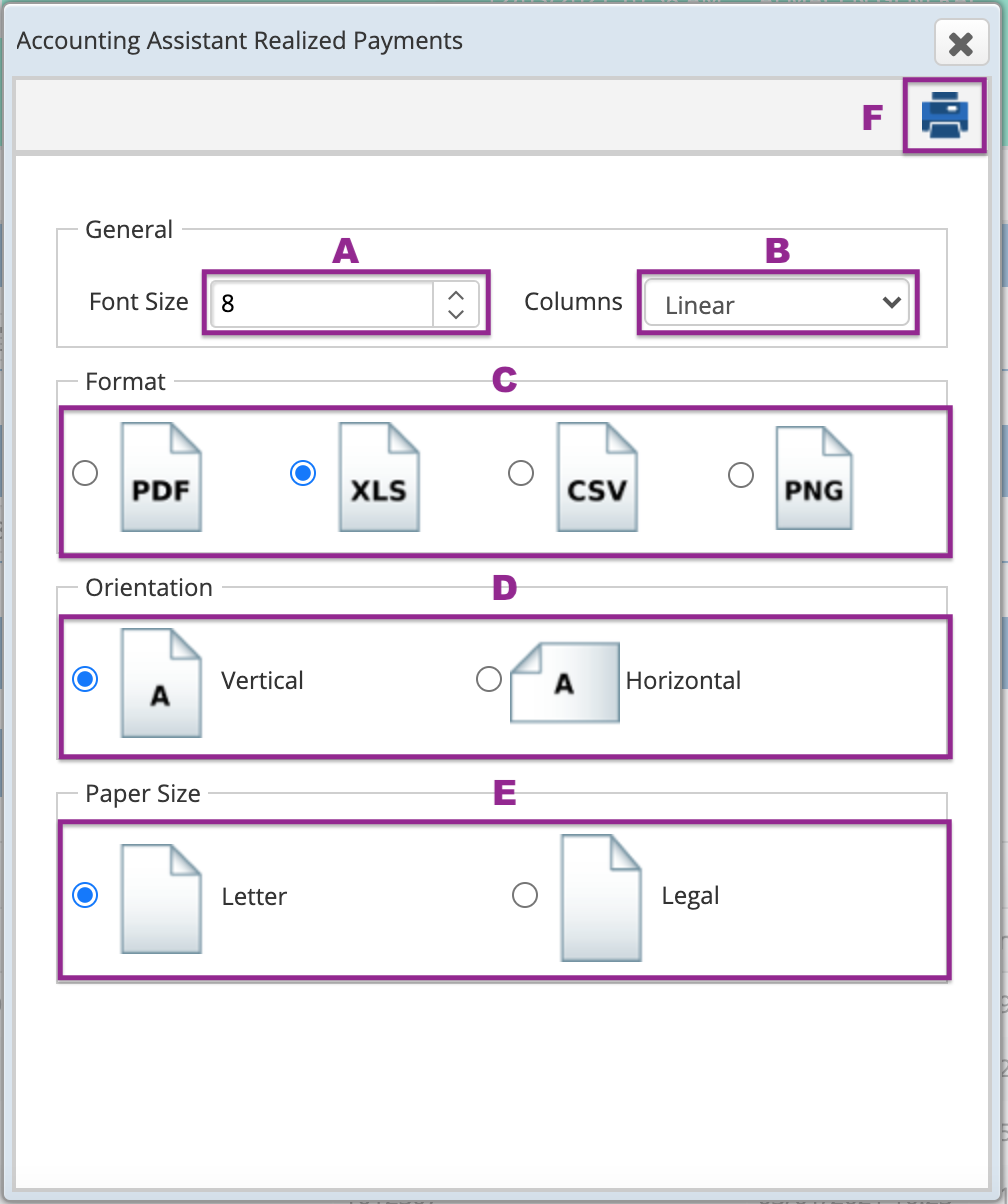
Once you have the information retrieved, click on the "Printer" icon and select the following:
A. Font size
B. Columns, where you can choose linear (all fields in one line) or adaptable (all fields are adjusted to the paper size)
C. Format, PDF, XLS, CSV, PNG (Image).
D. Orientation, vertical or horizontal.
E. Paper size, Letter or Legal.
F. Print/Export the information
*This action will print the general information.
To print the details press the button DETAILS and within the details click on the PRINTER icon.
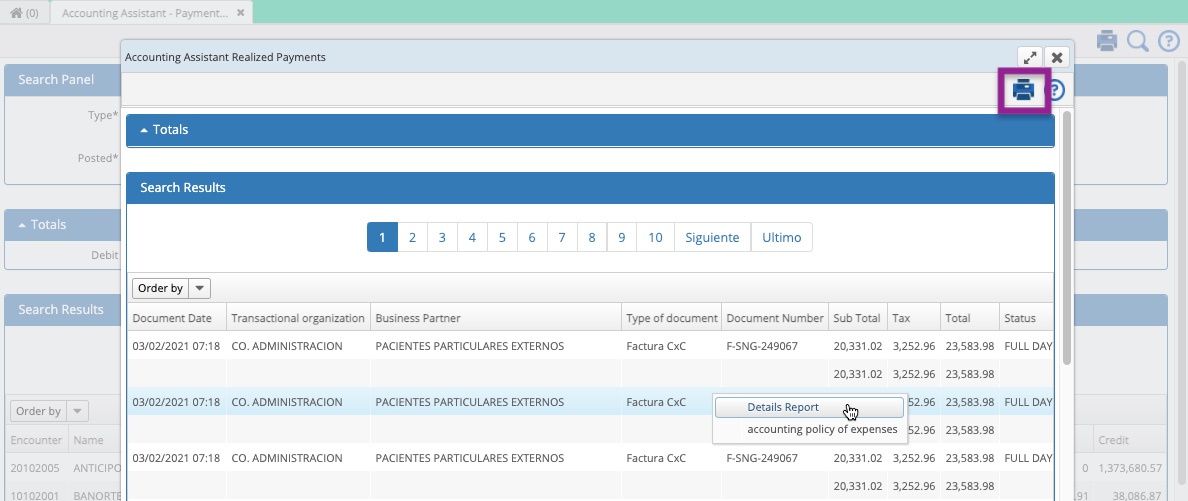

After finishing the aforementioned steps.
You'll have exported/printed the report.
Congratulations!
Comments
0 comments
Article is closed for comments.