
Payment Selection
1. Payment selection
In the module Payment Selection, when you register a payment of the type Transfer in Policy Information, you will be able to select the "Destination Bank" and the "Bank Account" that is configured for that supplier in the Business Partner catalog.
We've included the direct access to the Business Partner module (see image) from Policy Information, to let you configure the information of the bank and the account. Make sure you have the permissions to access the module, otherwise request the permission to your IT Administrator.
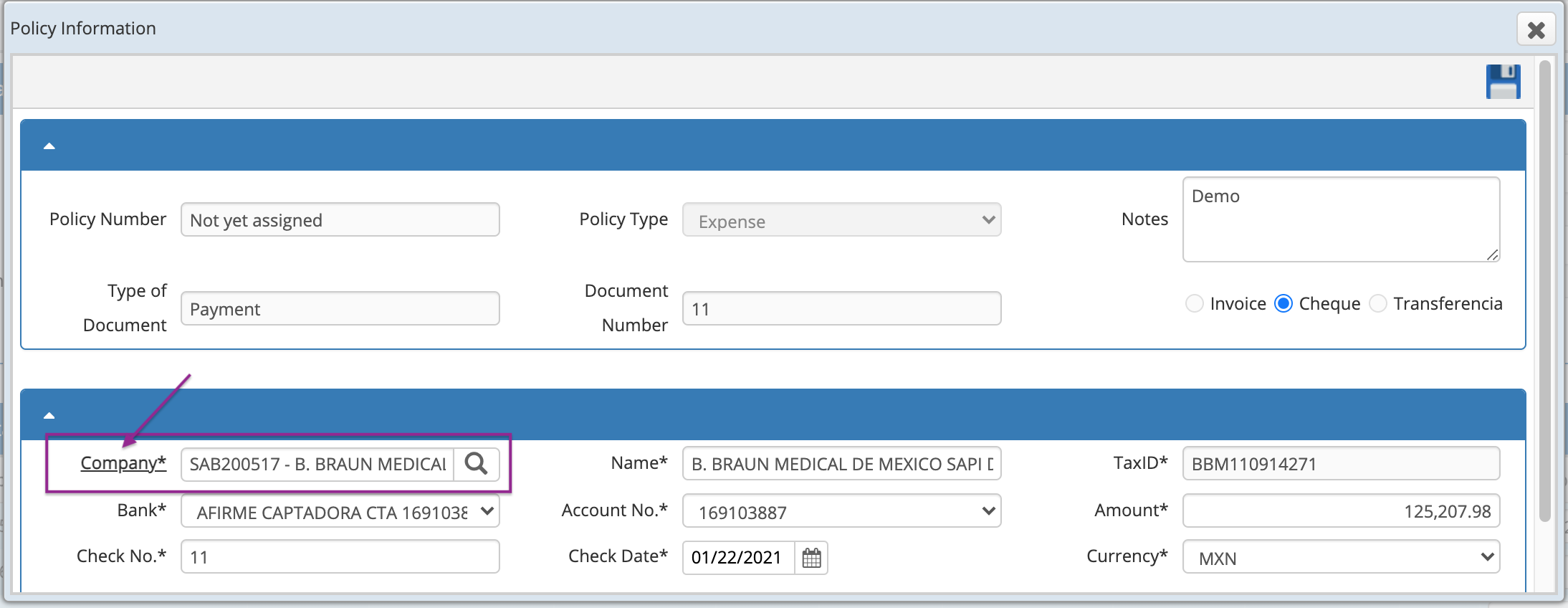
Make sure you have set the required following settings:
- First, supplier banks must be registered in the Bank module, and then that information must be added to the supplier configuration.
- The bank information and the supplier or client accounts must be configured in Business Partner in the section "Bank account".
- Bank accounts will be visible only in the current organization in case you manage multiple organizations.

If you're currently using this feature but the configuration wasn't apply in Business Partner, the field "Destination bank" will display the following message:
"There are not any bank account related to this business partner, please, go to the business partner window to configure it."
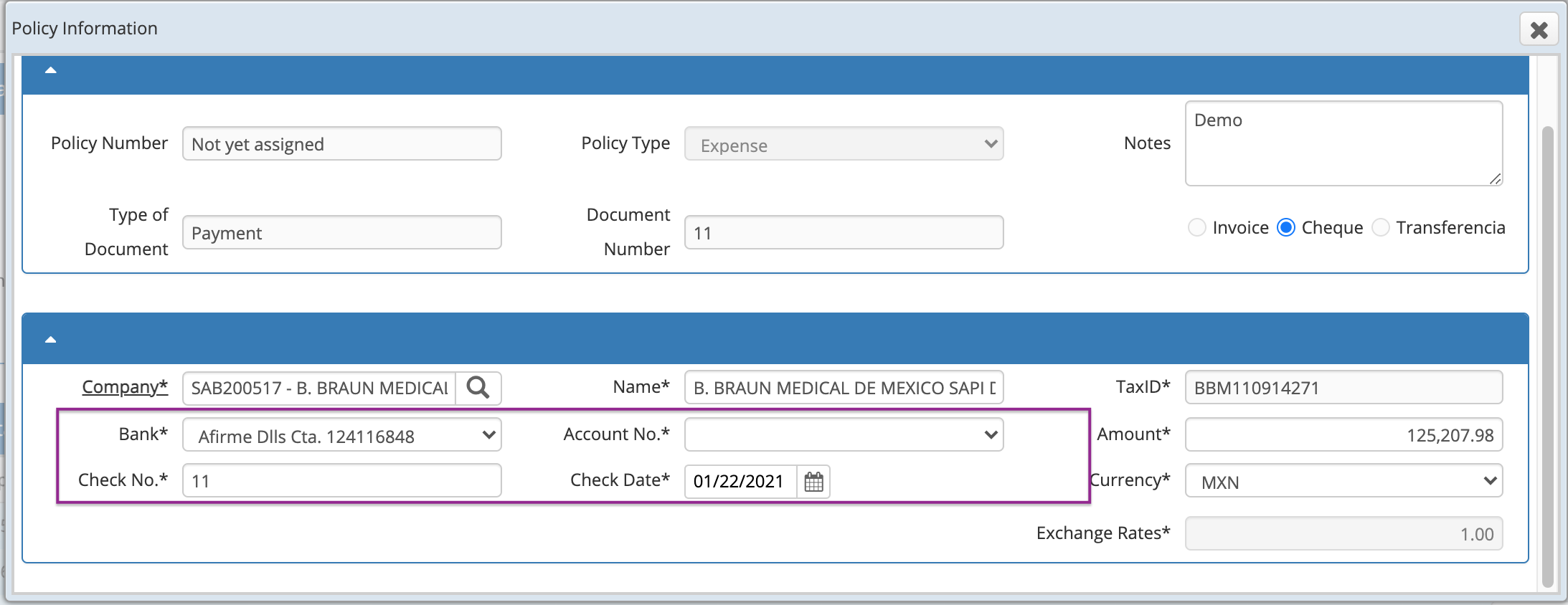
If you associated a destination Bank but didn't select the correct bank account, you'll see the following message:
"The account selected is not configured for this partner. Please click on the partner's label to configure it."

If you have the settings and you get the message, just open the combo box to select the correct option.
These changes also apply to the modules:
Payments (Provider) and Policy Information, where you can add such information.
Comments
0 comments
Article is closed for comments.