
Bank
Now, if you manage multiple organizations, you'll be able to configure you bank account on the level where you can share it among all the different organizations.
In the field Organization, select the asterisk "*" to upgrade the level.
This only applies to your own accounts, the ones that were created using this module.
This does not apply to bank account coming from the Business partner window.

In the details section of the account, also you must select the same level of the Bank in order to use it from any of your organizations.
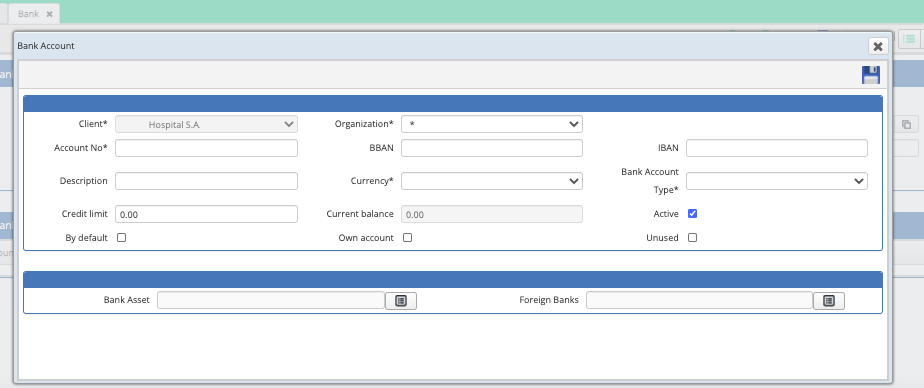
Don't forget to add the additional information of the related bank document, this doesn't change in the original configuration.
If you wish to change an existing account to this new level, you may contact Tech Support in order to request this change.
Comments
0 comments
Article is closed for comments.