
1. What you need to know 2. The benefits 3. Start printing receipts
1. What you need to know
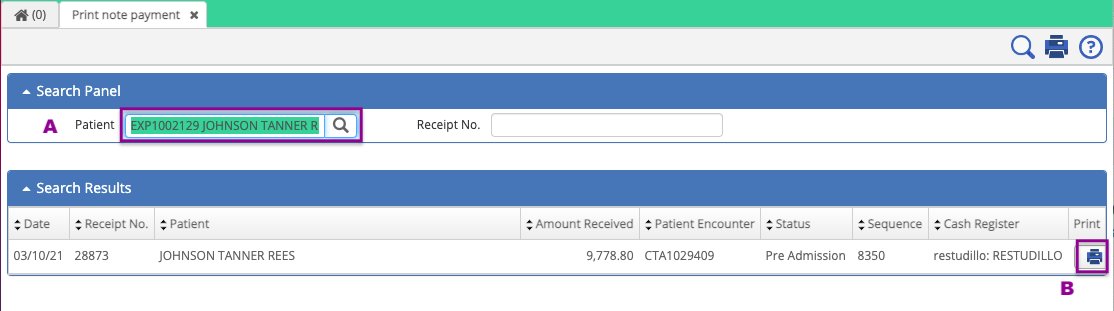
1. You can filter the information based on patient's name, receipt number or by all fields, when clicking on the Magnifier icon.
2. You can visualize the following information:
- Registration date of the payment amount in the system.
- Receipt number.
- Patient name.
- Payment amount collected.
- Patient encounter number.
- Patient encounter status.
- Cash register sequence number used to collect payment.
- Cashier information.
In case you don't have access to this module, you can request the permission to you local system administrator.
2. The benefits
- To have the option to print out advance payment receipts generated on a cash register in following days when the transactions were registered.
3. Start printing receipts
To print out receipts you must have access to the module Print note payment.
Search the receipt by patient name or receipt number, and click on the "Print" button as shown in the image below.
Sample receipt print out.
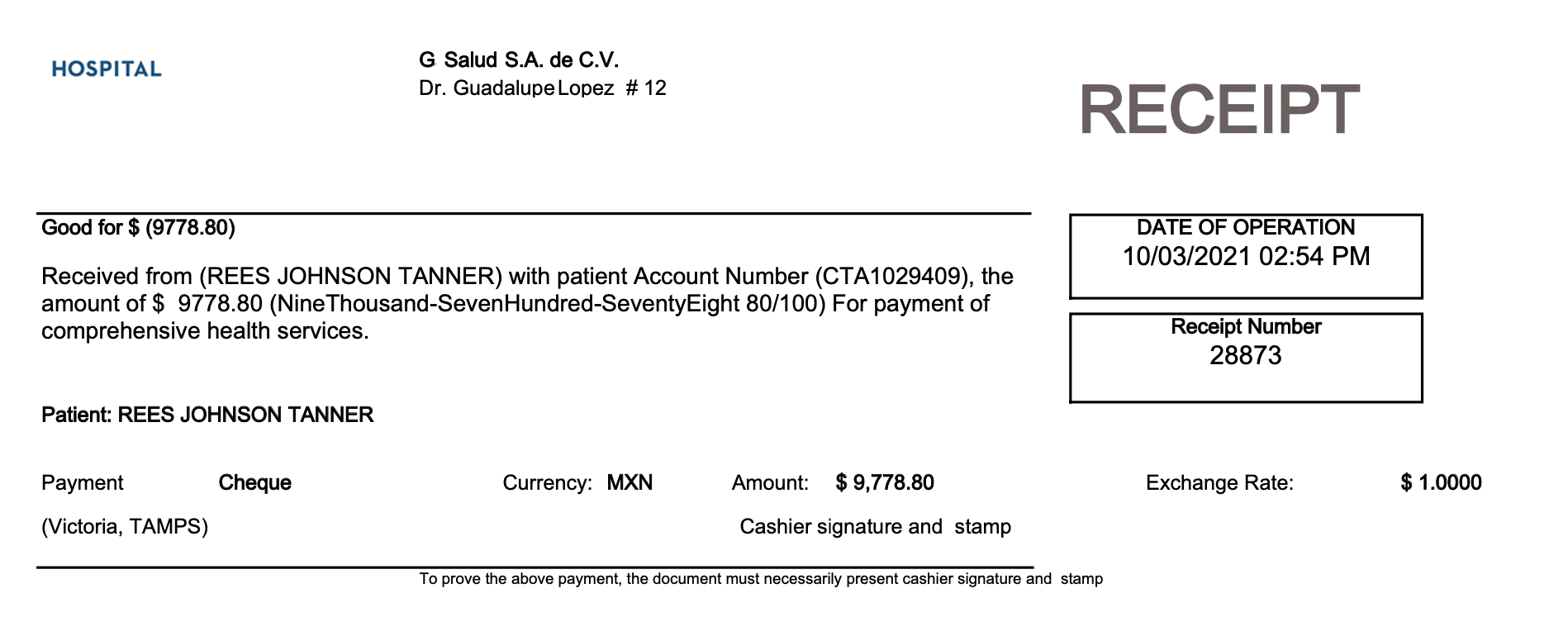

After finishing the steps above, you will be able to download and save the receipt file to print it then or later.

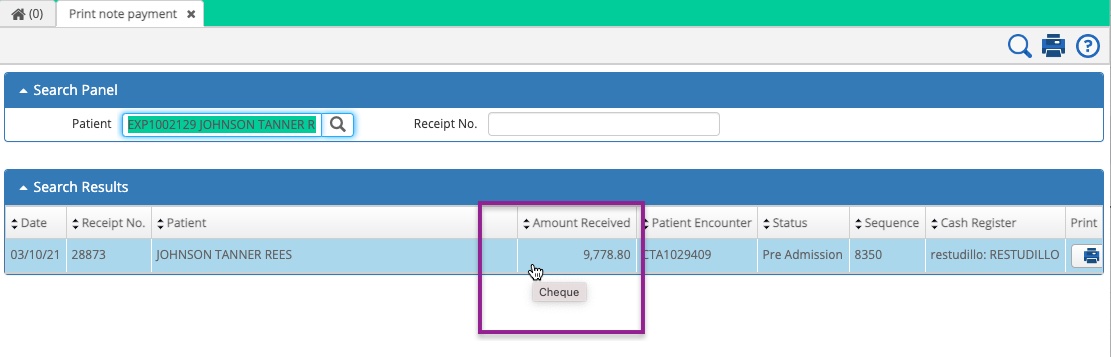
To visualize the collection method of the receipt you can hover the mouse cursor over the line of the specific record.
Comments
0 comments
Article is closed for comments.