
30/09/2019 - We've modified and added checkboxes to be able to copy the patient mailing address to the billing Address
Within the module Patient Registration, if the patient uses the same Mailing and Billing address, now, you'll have two ways for copying the information of the mailing address into the billing address.
Now, the option Set same address for billing? is located at the bottom of the Mailing address pop-up window and it's checked by default.
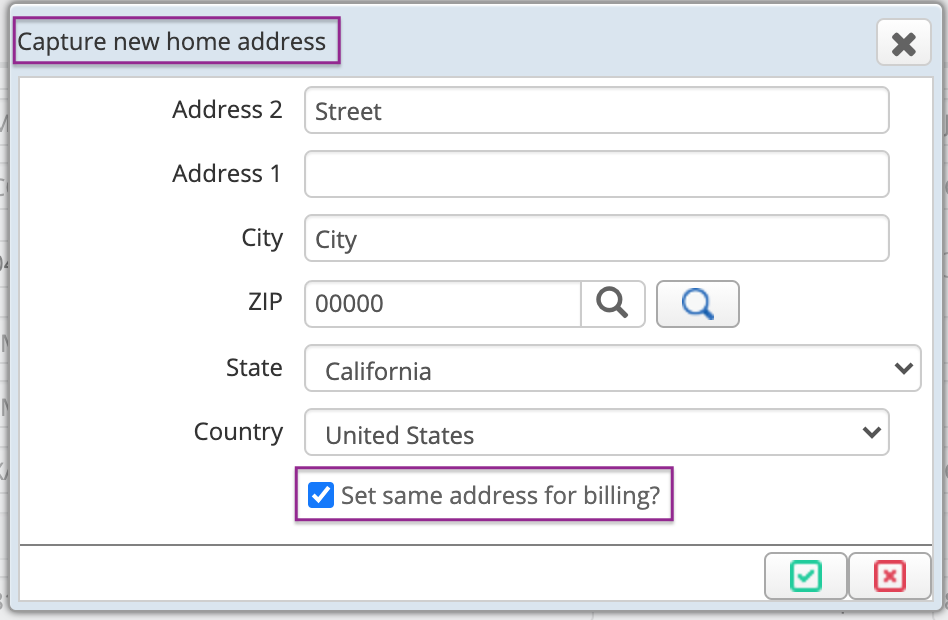
In case the checkbox has been unchecked, you will be able to copy the information from the Billing address screen by checking the option Set same address of the mailing? located at the upper section of the window.
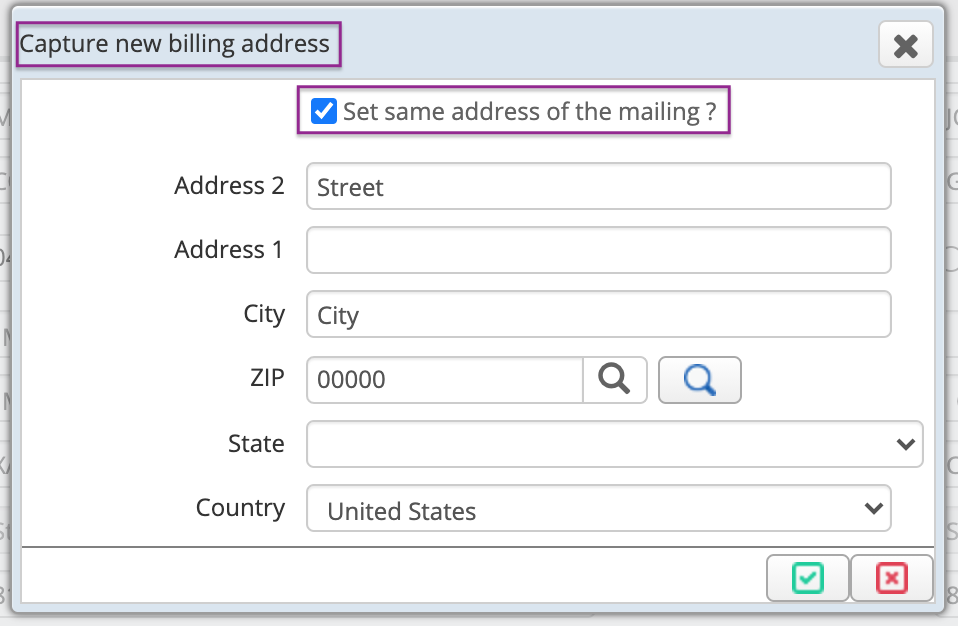
Keep in mind that if the patient billing address and mailing address are different ones, DO NOT CHECK THOSE OPTIONS and enter the information individually for each address.
We hope this improves your experience with Cirrus. Remember to share this information and ask for help if needed.
Date: September 30, 2019
Comments
0 comments
Article is closed for comments.